

A fake “fraud alert” can arrive before a criminal ever tries to crack your password. In 2025, the FBI said it had received more than 5,100 complaints about account-takeover fraud involving impersonation of financial institutions, with reported losses exceeding $262 million. FBI account-takeover fraud warning The lesson is useful: many banking attacks succeed because someone is persuaded to hand over access, not because a bank’s encryption fails.
The most effective digital banking security tips therefore protect three things at once—your login, your device, and your judgment when a message creates urgency.
The Attack Often Starts With Trust
As fintech is changing personal finance, bank impersonation scams are built to feel routine. A text claims a large purchase was declined. A caller says your account is under attack. A message asks you to “verify” a transfer before it posts.
The FDIC guidance on bank impersonation scams, use urgent language, and ask for passwords or personal information. Fake bank websites can also borrow real logos and “Member FDIC” language to appear legitimate.
Do not continue an unexpected conversation about account security. Open your bank’s app yourself or call the number printed on your card. Never use contact details supplied by a suspicious message.
Build a Login That Is Hard to Reuse
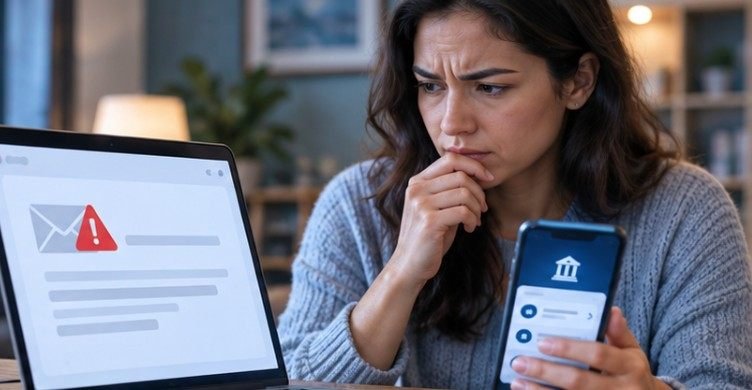
Use a Long, Unique Password or Passphrase
Password reuse turns one breach into several account compromises. Your banking password should be unique and, ideally, stored in a reputable password manager rather than reused for email, shopping, or social media.
Current NIST guidance emphasizes password length rather than complicated combinations of symbols and character types. Its digital identity guidelines require passwords used as a single authentication factor to be at least 15 characters. NIST also recommends multifactor authentication and explains how passkeys can reduce phishing exposure because users do not type a reusable password into a website.
A password manager helps because uniqueness matters almost as much as strength. If another website leaks your credentials, criminals should not be able to reuse the same password at your bank.
Use the Strongest Authentication Your Bank Offers
Multifactor authentication adds another check after the password. Authenticator apps, hardware security keys, passkeys, device approvals, and biometric-backed logins can make account takeover significantly harder.
Text-message codes are still better than relying on a password alone, but they are not the strongest option. NIST notes that manually entered one-time codes can still be captured through phishing. If your bank supports a passkey, security key, or another phishing-resistant method, prefer it.
Secure the Device and Connection
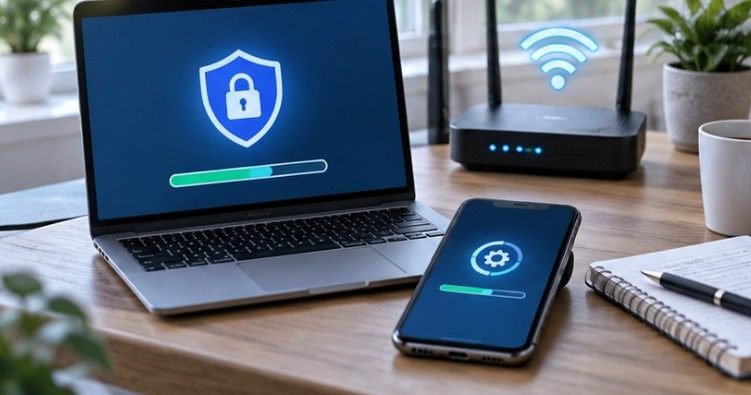
Install operating-system, browser, and banking-app updates promptly. Use a screen lock, enable automatic locking, and avoid handling financial accounts from computers that are shared or publicly accessible.
Public Wi-Fi deserves caution. For sensitive transactions away from home, cellular data is generally a better choice than an open airport, hotel, or café network. A VPN may protect network traffic, but it cannot make a fake banking website legitimate.
HTTPS and the browser padlock are also not proof that a site belongs to your bank. They indicate an encrypted connection; phishing sites can use encryption too. A safer habit is to open your bank’s official app, use a verified bookmark, or type the known address yourself.
| Quick check | Safer choice | Why it helps |
| Connection | Home network or cellular data | Reduces exposure on untrusted networks |
| Entry point | Official app or verified bookmark | Avoids phishing links |
| Device | Updated and personally controlled | Limits malware and unauthorized access |
| Authentication | MFA, preferably phishing-resistant | Makes stolen passwords less useful |
| Monitoring | Transaction and profile alerts | Helps detect misuse earlier |
Make Alerts Part of Your Security
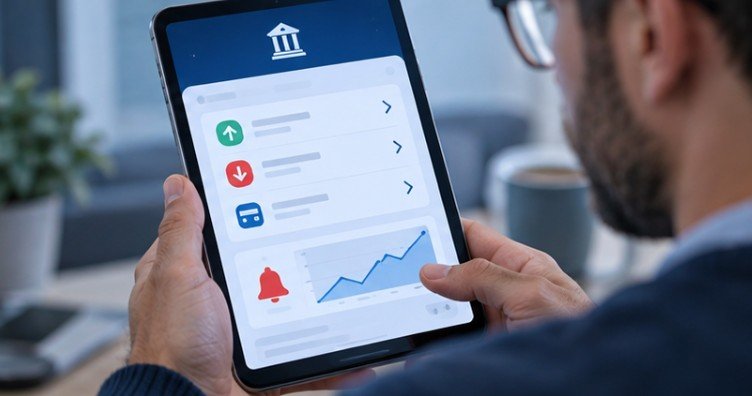
Enable notifications for withdrawals, transfers, large purchases, password or profile changes, new payees, and logins from unfamiliar devices when your bank provides those options.
Review transactions regularly instead of waiting for a monthly statement. A small unfamiliar debit may deserve attention. An unexpected notification that your phone number, email, password, or mailing address changed should be verified immediately.
The Federal Trade Commission advises consumers to contact companies through websites or phone numbers they already know are legitimate rather than clicking links inside unexpected messages. That becomes particularly important when someone requests login credentials, a verification code, or an immediate payment.
Use the 60-Second STOP Test
Before acting on an unexpected banking alert, run through four questions.
S — Source: Did you initiate this contact? If not, consider it unverified until you independently confirm it.
T — Time pressure: Is the sender demanding immediate action, secrecy, or a transfer supposedly needed to “protect” your money? Urgency is a common manipulation tactic.
O — Open independently: Close the message and open the bank’s official app or website yourself.
P — Permission: Never give an unsolicited caller or message your password, PIN, remote access, or one-time verification code.
This test takes less than a minute and works across texts, phone calls, emails, social messages, and fake technical-support pop-ups.
If Something Looks Wrong, Act Fast
If you see an unauthorized transfer or believe someone obtained your credentials, contact your bank immediately through an official channel. Lock affected cards when possible, change compromised passwords, sign out of other sessions, and review recent account and profile changes.
Keep screenshots, suspicious messages, phone numbers, email details, and transaction records. They can help your financial institution investigate what happened.
For U.S. consumers, Regulation E can provide protections for certain unauthorized electronic fund transfers, but the outcome can depend on the circumstances and how quickly the problem is reported. The Consumer Financial Protection Bureau notes that consumer liability can vary according to the timing and facts of an unauthorized transfer.
That makes “waiting a few days to see what happens” a poor strategy when money has already moved.
Where Common Security Advice Falls Short
Good security reduces risk; it does not make a bank account invulnerable. Biometrics can protect access to your device, but they cannot stop every social-engineering scam. MFA can prevent many account takeovers, yet someone can still be manipulated into authorizing a fraudulent payment.
Likewise, a polished website can be malicious, and caller ID can be spoofed. Security works best as several overlapping layers: unique credentials, strong authentication, trusted devices, independent verification, alerts, and fast reporting.
That is why the best digital banking security tips focus on behavior as much as technology.
Frequently Asked Questions
1. What is the safest way to access online banking?
Use the official banking app or a saved, verified web address on your own updated device. Avoid entering through links in unexpected texts, emails, search ads, or social messages.
2. Is Face ID or fingerprint login safe for banking?
Biometrics are useful when they unlock a trusted device or authenticator. They are strongest when paired with device security and multifactor authentication rather than treated as the only safeguard.
3. Should I use online banking on public Wi-Fi?
Avoid it when possible. Use cellular data or a trusted private network. A VPN can protect traffic, but it cannot stop you from entering credentials into a fake banking site.
4. What should I do if I shared a verification code?
Contact your bank immediately through an official channel, change affected passwords, review transactions and profile changes, and follow the bank’s fraud-response instructions.
A Safer Banking Habit Is Mostly About Slowing Down
The strongest defense is not a single app, password rule, or security product. It is a routine that makes deception harder to succeed: use trusted entry points, keep credentials unique, enable strong authentication, update devices, monitor alerts, and verify surprising requests independently.
The dangerous moment is often not the login screen. It is the ten seconds after a convincing message says your money is moving and demands an immediate response. Slow those ten seconds down, verify independently, and you remove one of the most powerful advantages a banking scammer has.







