

I used to think AI made sense mainly for companies with developers, large teams, and money to burn. Then I noticed how many everyday business tasks could be improved with existing tools. The bigger lesson was simple: a small company does not need to build an AI system from scratch.
I also found that the smartest starting point is rarely the newest tool. It is usually an annoying task that happens every day, takes too much time, or creates mistakes. That changes the question from “How do I use AI?” to “Where would automation make this business easier?” For a small business, that distinction keeps spending under control.
Start With the Bottleneck
Building an AI-enabled small business starts with observing how work gets done. Look at customer emails, meeting notes, invoices, social posts, scheduling, research, and reporting. Find repetitive work that consumes time without requiring judgment.
That task becomes your first experiment. If employees repeatedly answer questions, an AI-assisted support workflow may help. If meetings produce hours of notes, transcription and summarization can remove busywork. If reports require copying information between applications, automation can move it.
This approach prevents buying several AI subscriptions before knowing what problem they solve. Current research shows adoption is growing, but integration remains uneven, with time, skills, maintenance costs, and cybersecurity creating barriers.
Build a Lean AI Stack
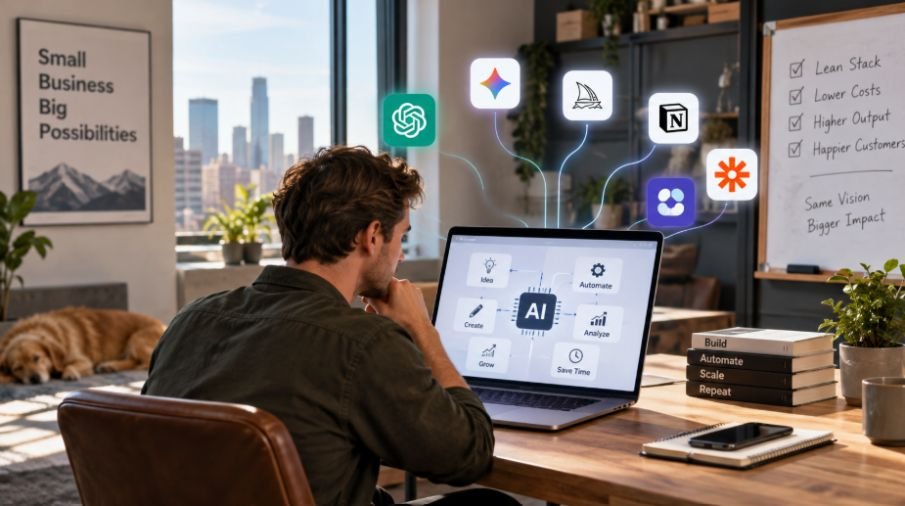
A useful AI setup does not have to look impressive. It needs to work.
Start by checking whether software you already pay for has AI features. Your accounting platform may automate categorization. Your CRM may offer summaries. Design software can generate layouts.
Then add specialized tools only where they solve a gap. Zapier can connect applications and trigger actions. Google Meet or Zoom can capture conversations, while Fireflies or Fathom can create searchable notes.
AI can help draft emails, product descriptions, social posts, research notes, or first-pass articles. Canva can speed up routine visual production. The goal is to reduce production workload so people can focus on decisions and customers.
Put Customer Service on Autopilot Carefully
Customer service is an opportunity because many questions are predictable. A chatbot can handle basic information, collect details, qualify inquiries, or help customers find the next step.
Tools such as HubSpot, ManyChat, and Tidio can support these workflows without custom development. Decide where automation stops. Billing disputes, unusual complaints, and sensitive requests should reach a human.
AI can produce confident but incorrect answers. Good automation is not about removing people. It keeps them focused on conversations where judgment adds value. Current guidance emphasizes limited pilots and human review before expanding important workflows.
Use AI to Protect Your Time
For an owner, saved time can be more valuable than another feature.
Consider a simple chain: a customer books a call, the meeting is recorded, the transcript is summarized, action items are extracted, and a follow-up task is created. Connecting tools can turn chores into one repeatable workflow.
Finance offers similar opportunities. Accounting platforms can categorize expenses, organize receipts, prepare reports, and automate invoice reminders. They still need oversight for unusual transactions and tax decisions, but they can reduce administrative work.
The same principle applies to sales. AI can summarize customer interactions, organize notes, identify follow-up opportunities, and help prepare personalized outreach. A small team can respond more consistently without pretending software can replace relationships.
Keep the Budget Under Control

A lean AI budget should be treated like an experiment budget, not a shopping spree. Following a 50/30/20 budget rule can also help structure how available income is allocated.
Several low-cost subscriptions can become expensive when nobody regularly uses them. Zero-based budgeting can help businesses give each available dollar a specific purpose instead of letting expenses accumulate without a clear role.
The under-$100 monthly target can be realistic when a business relies on free tiers, built-in features, and a few selected subscriptions. Costs vary by users, limits, integrations, and requirements, so treat the number as a planning target.
Before paying for another tool, ask what measurable result it should produce. Maybe it should save five hours each week, reduce response time, increase follow-ups, or cut repetitive data entry. If the benefit is unclear, keep researching.
Protect the Data You Hand Over
AI convenience should not become a shortcut around basic security.
Before connecting a tool to customer records, financial information, employee data, or confidential documents, understand what information it receives, where it is stored, who can access it, and whether it may be used for model improvement. Use only necessary information.
Cybersecurity remains a major challenge as more systems become connected.
Create simple rules for employees. They should know what information can be entered into an AI service, what requires approval, and when human verification is mandatory. Those rules are inexpensive compared with a preventable trust problem.
Scale What Actually Works
Once one workflow proves useful, document it. Record the trigger, AI task, human checkpoint, final action, and result. Then decide whether the workflow should expand.
This is where an AI-enabled small business becomes more than a collection of tools. It becomes a system of repeatable processes. Automation and AI agents may become useful, but they should grow from proven workflows. OECD research shows most SMEs still rely on off-the-shelf products, while tailored applications and AI agents are emerging.
Frequently asked Questions
1. Can a small business really use AI for under $100 a month?
Yes, for many businesses. Free plans, built-in AI features, and a small number of paid subscriptions can cover useful workflows. Costs rise with usage, integrations, and advanced requirements.
2. What should a small business automate first?
Start with repetitive, low-risk work that happens frequently. Meeting summaries, appointment handling, basic customer questions, invoice reminders, reporting, and data transfer are practical starting points.
3. Does a small business need a developer to use AI?
Usually not. Many modern AI and automation platforms are designed for nontechnical users. Development becomes more relevant when you need custom integrations, specialized applications, or complex workflows.
4. How do I know whether an AI tool is worth paying for?
Measure a specific outcome. Track time saved, errors reduced, faster responses, completed follow-ups, or revenue generated. Keep a tool when its benefit outweighs its cost.
Why Small Changes Can Build a Smarter Business
The most useful AI implementation is often surprisingly ordinary. It might be a meeting that no longer needs manual notes, an invoice reminder that goes out automatically, or a customer receiving an immediate answer. Together, these changes can give a small team more capacity without a large budget.
The real advantage comes from building deliberately. Start small, protect your data, keep humans involved, measure the result, and expand only when the workflow earns its place.









One comment on “Building an AI-Enabled Small Business Without a Huge Budget”