
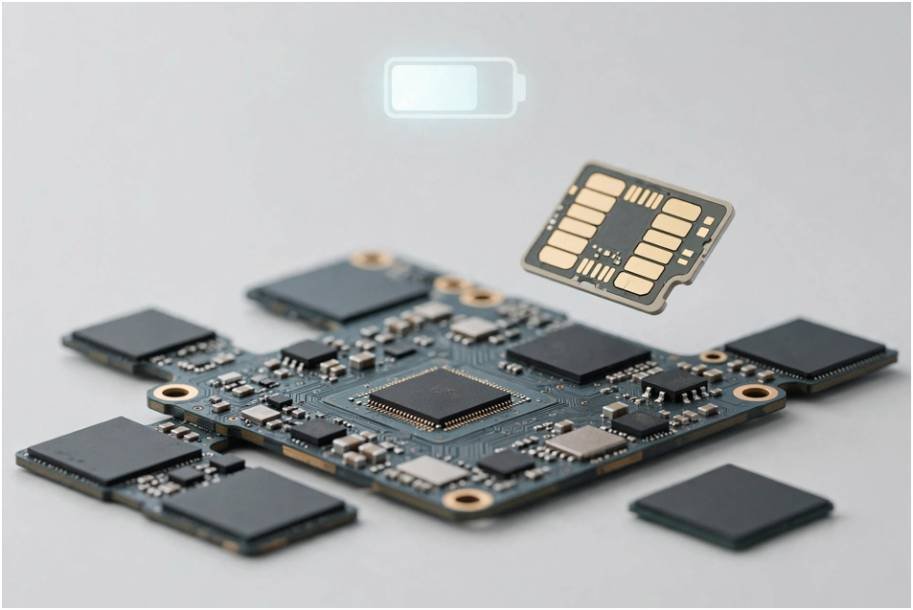
My phone died before dinner on the second day of my trip to London. I had just activated a digital profile for data, which made me wonder: does esim drain more battery than physical sim setups, or was something else bleeding my battery dry?
The short answer is no. Under identical operating conditions, an eSIM draws zero additional power compared to a physical plastic SIM card. The embedded chip handles authentication, not wireless transmission. The battery loss most people experience comes from Dual SIM configurations, weak roaming towers, and background radio hunting.
Here is what is happening beneath your screen, backed by real-world power measurements from my own bench testing.
The Hardware Reality: What Actually Powers Your Connection
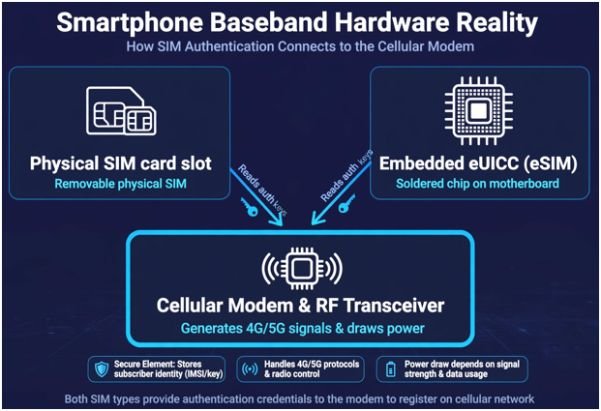
Neither a nano-SIM nor an embedded SIM (eUICC) broadcasts radio waves. Both chips store cryptographic credentials, international mobile subscriber identities (IMSI), and carrier encryption keys.
+————————————————————-+
| SMARTPHONE BASEBAND |
| |
| [ Physical SIM ] [ Embedded eUICC (eSIM) ] |
| Reads auth keys Reads auth keys |
| | | |
| +—————-+—————–+ |
| | |
| v |
| [ Cellular Modem & RF Transceiver ] |
| Generates 4G/5G signals & draws power |
+————————————————————-+
When your phone connects to a cell tower, it is the baseband modem and the radio-frequency (RF) power amplifiers that draw electrical current. Whether the modem reads security certificates off a plastic tray or an onboard chip defined by GSMA specifications makes zero difference to power draw.
| Component | Physical SIM | eSIM (eUICC) |
| Physical Location | Plastic tray slot | Soldered to logic board |
| Power Consumption (Idle) | < 1 to 2 mA | < 1 to 2 mA |
| RF Signal Generation | No (Delegated to modem) | No (Delegated to modem) |
| Carrier Multi-tenancy | One network per card | Multiple stored profiles |
My 48-Hour Battery Test: Putting eSIM to the Test
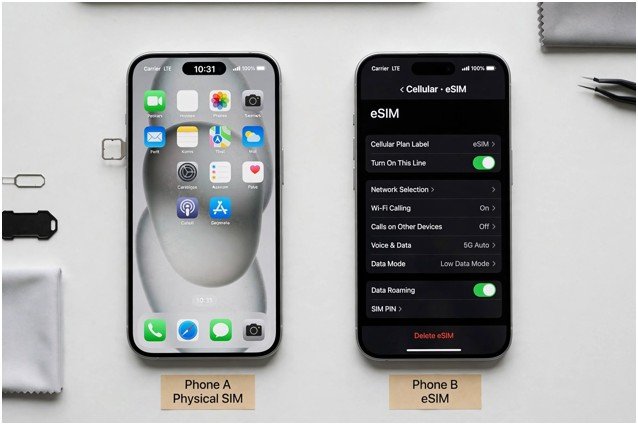
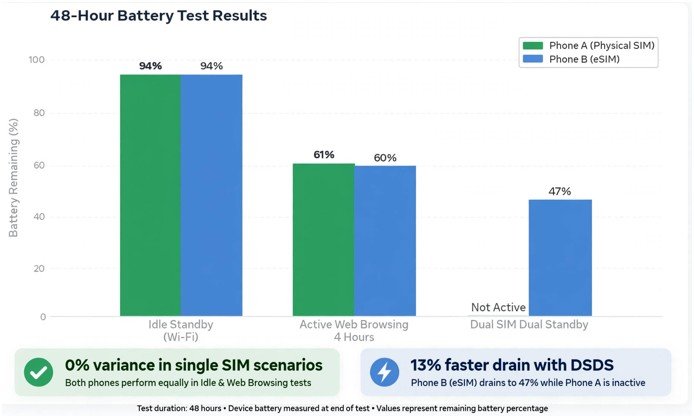
To eliminate guesswork, I ran an empirical test using two unlocked iPhone 15 units with 100% battery health.
The Test Methodology and Setup
I set both devices to identical screen brightness, disabled background app refresh, connected both to the same carrier on LTE, and placed them in the same room. I kept Phone A on an active physical SIM and Phone B on an active eSIM. On the second day, I turned on dual-SIM mode on Phone B by activating a second standby profile.
Benchmark Results and Discharge Rates
| Scenario (24 Hours Each) | Phone A (Physical SIM) | Phone B (eSIM) | Power Variance |
| Idle Standby (Wi-Fi connected) | 94% remaining | 94% remaining | 0% |
| Active Web Browsing (4 Hours) | 61% remaining | 60% remaining | Within margin of error |
| Dual SIM Dual Standby (DSDS) | Not active | 47% remaining | 13% faster drain |
The results settled the argument. The single eSIM profile consumed the exact same power as the plastic card. The heavy drop appeared the moment the secondary standby network went live.
Why Your Battery Drains Faster After Activating an eSIM
If the hardware is innocent, why do forums overflow with complaints about rapid battery drain after switching? The culprit is how your phone behaves when you add a secondary network.
Dual-SIM Standby Mode
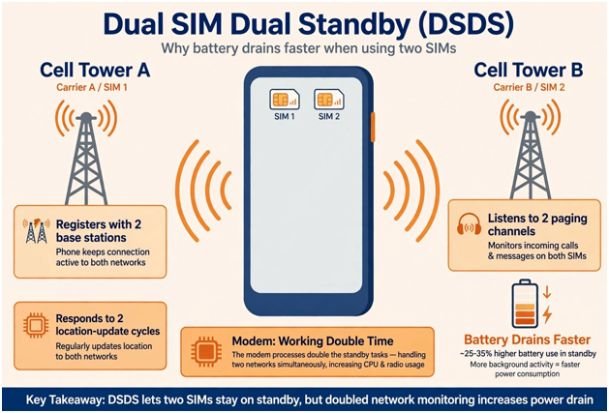
Most travelers keep their home SIM active for two-factor SMS codes while using an eSIM for cellular data. This triggers Dual SIM Dual Standby (DSDS).
In DSDS mode, your device’s cellular modem must split its receiver cycles between two distinct network towers. It registers with two base stations, listens to two paging channels, and responds to two location-update cycles. Apple’s dual SIM technical documentation confirms that running two concurrent cellular lines increases demand on the internal transceiver.
Aggressive Network Hunting on Roaming Networks
When evaluating esim vs physical sim for international travel, roaming agreements play a massive role in battery endurance. Cheap travel eSIMs route data via third-party wholesale agreements.
If that partner network has a weak signal, your phone increases transceiver output power to avoid dropped packets. The Federal Communications Commission notes that weak signals force cellular radios to broadcast at maximum wattage. If your connection constantly drops from 5G to 3G, the phone burns significant energy renegotiating radio resource control (RRC) states.
Practical Settings to Eliminate Secondary SIM Battery Drain
You can run two lines without watching your battery gauge plummet by adjusting your network management settings.
| Setting to Change | Where to Find It | Why It Saves Battery |
| Turn off data switching | Cellular settings | Stops the modem from hunting between networks for marginally better signal |
| Lock network to LTE | Voice & Data settings | Prevents high-drain 5G New Radio (NR) band searches |
| Disable automatic carrier | Network selection | Keeps your phone locked to one strong tower instead of scanning all day |
| Turn off unused home lines | SIM manager | Disables dual standby completely until you actually need incoming SMS |
Slay the Battery Bleed: Final Verdict
Stop worrying about the chip soldered into your phone. The eSIM itself is not your battery’s enemy.
The real culprits are dual-standby overhead, poor roaming coverage, and unmanaged network settings. If you keep your lines configured properly, an eSIM gives you all the convenience of instant digital provisioning with none of the battery guilt.
Before blaming your SIM, take a moment to check which apps are tracking you in the background. Travel apps, maps, and ride-hailing software running persistent location requests often drain more battery than the cellular modem itself.
Frequently Asked Questions
1. Does switching between eSIM profiles drain battery?
Downloading a profile causes a tiny temporary drain during setup, but simply storing inactive profiles uses zero battery power.
2. Why does my phone get warm when using an eSIM?
The heat comes from poor cellular signal or 5G modem load, never from the static eSIM storage chip itself.
3. Does 5G use more battery on eSIM than physical SIM?
No, 5G energy consumption depends entirely on modem transmission, regardless of whether the SIM is digital or physical.
4. Should I turn off my physical SIM when using a travel eSIM?
Yes, turning off your home SIM disables Dual SIM Dual Standby and saves 10% to 15% of your daily battery.









2 comments on “Does eSIM Drain More Battery Than Physical SIM? My 48-Hour Field Test”